Vue3中axios的配置方法
Danica 1/6/2022 Vueaxios
参考资料
以下笔记大多数来源于 黑马程序员Vue全套视频教程 (opens new window),本人在此基础上整理补充。 涉及集数:
- P537 Vue3.0-22.综合案例 - 安装和配置axios
- P538 Vue3.0-23.综合案例 - 请求用户列表的数据并解决接口跨域问题
# 项目环境
axios: ^0.25.0 vue: ^3.0.0
# 步骤
# 配置
用npm等包管理工具安装axios包
npm i axios -S安装完成后,在vue项目的
main.js入口文件中导入并全局配置axios:
//导入axios
import axios from 'axios'

//用app来接受vue的instance
const app = createApp(App)

//配置请求根路径
axios.defaults.baseURL = 'https://www/escook.cn'

//将axios挂载为全局的$http自定义属性
app.config.globalProperties.$http = axios

app.mount('#app')
1
2
3
4
5
6
7
8
9
10
11
12
13
14
2
3
4
5
6
7
8
9
10
11
12
13
14
# 请求测试
- 在组件中声明
data数据myList,拿来接受请求数据
data(){
	return{
		myList:[]
	}
}
1
2
3
4
5
2
3
4
5
- 在组件的
created[[生命周期函数]]中,预调用获取数据列表的methods
created(){
	this.getMyList()
}
1
2
3
2
3
- 在组件的
mthods节点中,声明刚才预调用的getMyList方法
methods:{
	async getMyList(){
		const { data:res } = await this.$http.get('/api/users')
		if(res.status !== 0) return console.log('用户列表请求失败')
		this.userList = res.data
	}
}
1
2
3
4
5
6
7
2
3
4
5
6
7
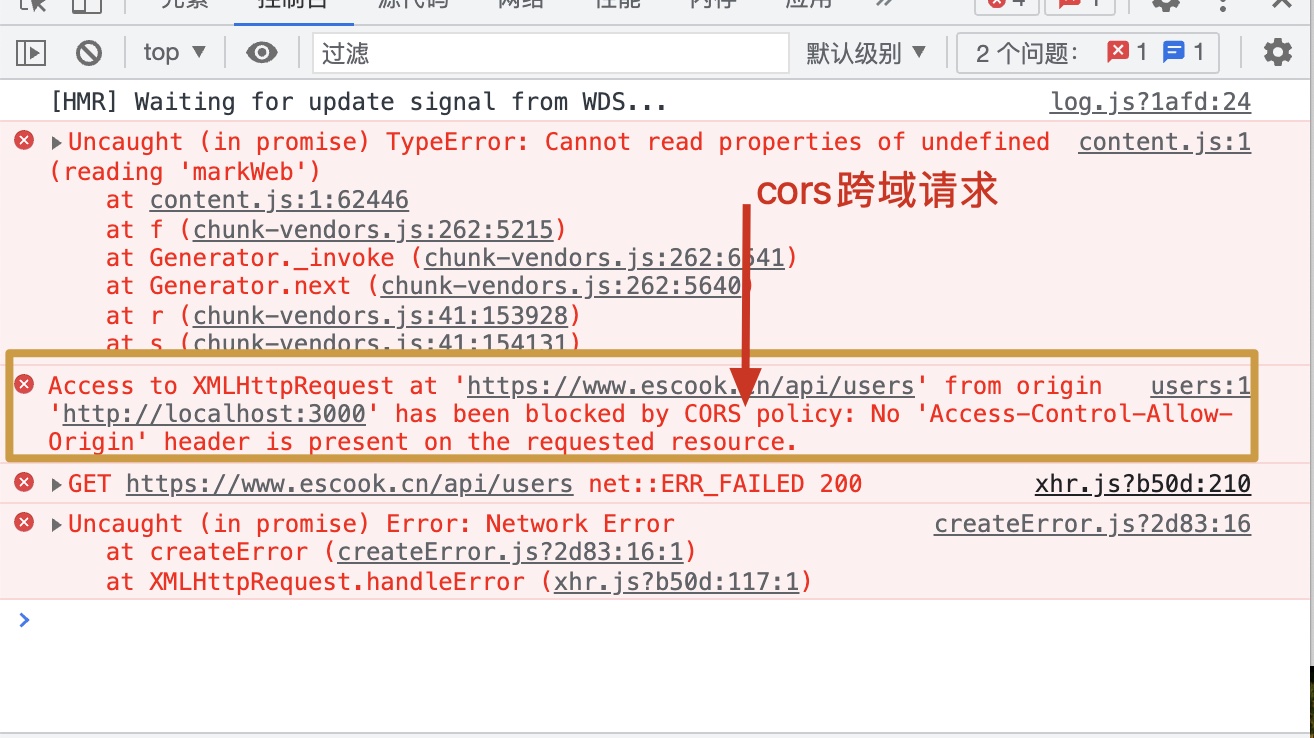
成功之后重启服务器,打开自己配置请求的页面,如果api请求地址位于站外的话,会发现有cors跨域请求问题。
# 通过proxy代理来解决cors跨域请求问题
注意devServer.proxy提供的代理功能,仅在开发调试的阶段生效,项目上线发布时,依旧需要API接口服务器开启cors跨域资源共享。
通过
vue.config.js中的devServer.proxy即可在开发环境下将 API 请求代理到 API 服务器
vue.config.js
module.exports = {
	devServer: {
		port:3000,
		open:true,
		//会将任何未知请求代理到proxy里指定的值
		proxy:'https://www.escook.cn'
	}
}
1
2
3
4
5
6
7
8
9
2
3
4
5
6
7
8
9
同时,在
main.js入口文件中,需要把axios的根路径改造为开发服务器的根路径:
axios.defaults.baseURL = 'http://localhost:3000'
1
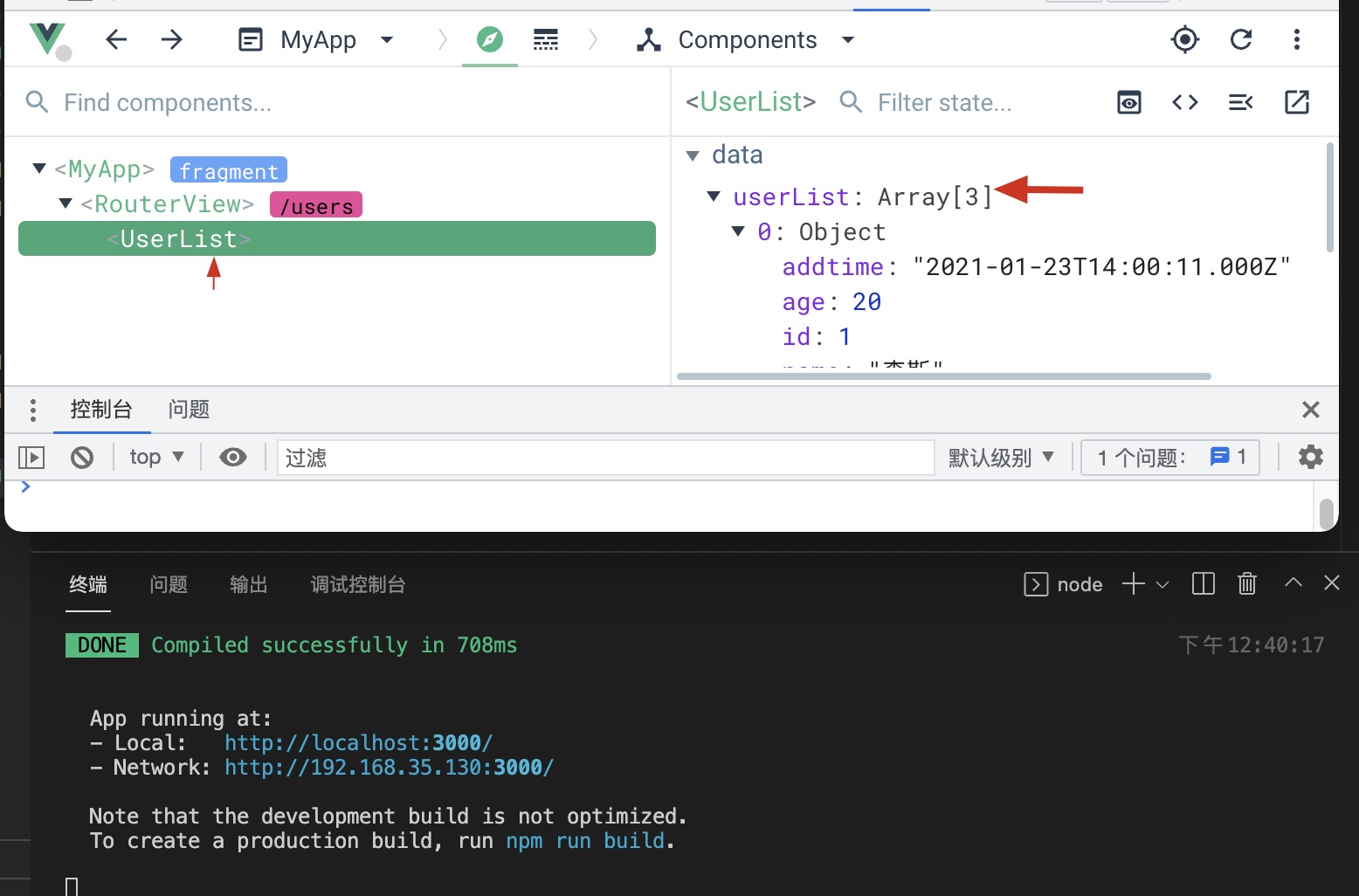
重启服务器,可以看到没有报错,声明的data也已经顺利接收到数据